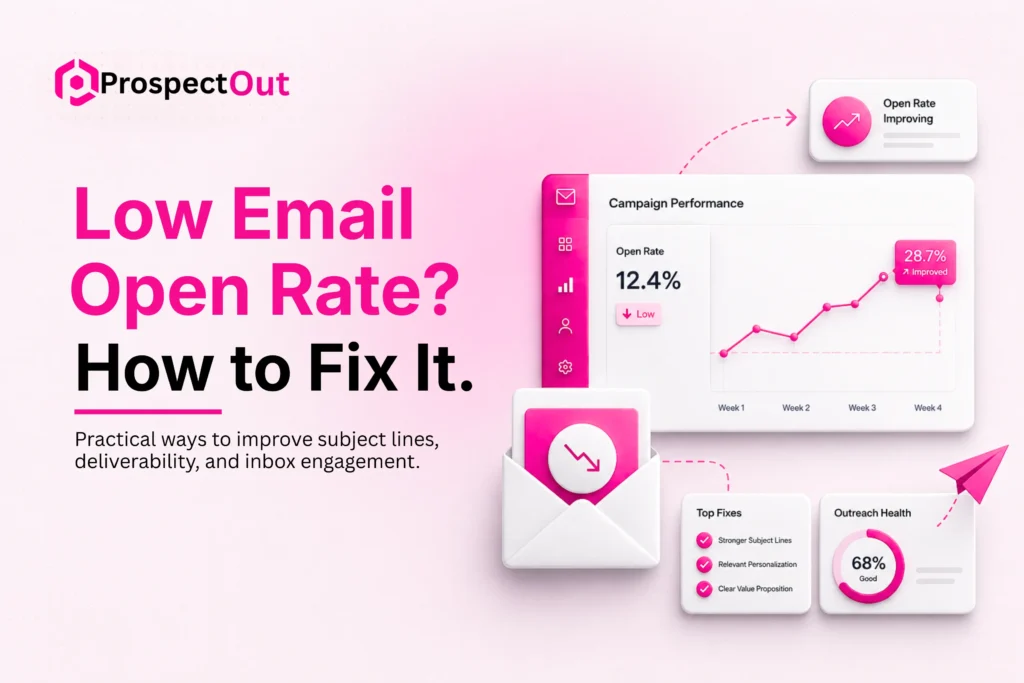
Low open rate is a common complaint we hear when we audit B2B outreach campaigns. In our work with B2B companies, we see this pattern where early-stage setup issues block performance before content even gets a fair chance. Many campaigns fail before any reply happens because the email never gets opened.
A low email open rate usually points to problems in deliverability, targeting, or first impression inside the inbox. It also shows that recipients do not feel enough relevance or trust when they first see the message.
This article breaks down what open rate means in cold outreach, why it drops, and what we do in practice to improve it for B2B campaigns.
What Is a Good Open Rate for Cold Emails?
In B2B outreach, open rates between 50% and 60% are considered excellent. This range usually shows that emails are reaching inboxes successfully and that the subject lines create strong interest. High-performing campaigns often achieve these numbers through clean contact lists, strong targeting, and a healthy sending domain.
An open rate between 25% and 40% falls into the average range for many B2B campaigns. This often means the campaign is functioning at an acceptable level, but there is room for improvement. Factors such as stronger personalization, improved timing, or better segmentation can help increase performance.
Open rates below 15% are generally considered low and often signal deeper problems. Weak inbox placement, poor list hygiene, irrelevant targeting, or subject lines that fail to connect with the audience can all contribute to lower visibility and engagement.
Also read: Is it illegal to send emails without permission
Why Your Cold Emails Have Low Open Rates
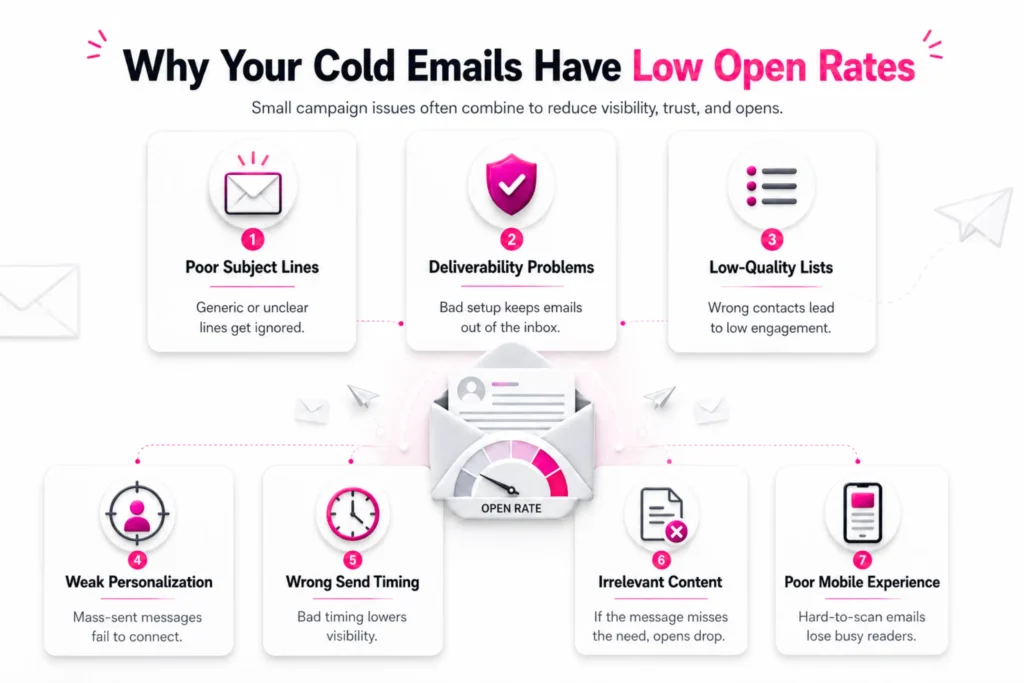
In most campaigns we audit, several small problems combine and reduce visibility or attention in the inbox, like:
Poor Subject Lines
Subject lines are the first filter recipients use when deciding to open an email. If the line feels generic, unclear, or too promotional, the message gets ignored without a second thought. In cold outreach, subject lines that sound like ads tend to perform worse, especially when they do not reflect the reader’s role or current business situation.
Deliverability Problems
Deliverability decides if your email reaches the inbox, the promotions tab, or spam. If the message never lands in the inbox, open rate drops no matter how strong the content is.
Poor domain setup, missing authentication records like SPF, DKIM, and DMARC, or sudden high sending volume from a new domain can all reduce inbox placement. Email providers track sender behavior closely, so inconsistent sending patterns also affect trust signals.
Low-Quality Lists
List quality has a direct link to open rate. If contacts are outdated, irrelevant, or not aligned with your offer, engagement stays low.
As a B2B outbound lead generation agency, we often see campaigns using large scraped lists or broad industry filters that do not match actual decision makers. Even if emails are delivered, recipients ignore them because the message does not fit their current role, business goals, or current needs.
Weak Personalization
Basic personalization such as inserting a first name is no longer enough to create attention in cold email. Readers quickly detect messages that feel mass-sent. A message that lacks company context, role-specific details, or a clear connection to business needs creates distance and gives recipients little reason to spend time reading further.
Wrong Send Timing
If a message arrives during peak inbox traffic or outside working hours, it can move out of sight before the recipient sees it. Different industries also show different activity patterns, which means one fixed sending schedule rarely works for all audiences.
Some of the worst times to send cold emails include late Friday afternoons, weekends, and very late-night hours. Many professionals finish work before the weekend starts, while weekend inbox activity stays low in many B2B industries.
Emails sent during these periods can sit beneath newer messages by the time recipients return to work.
Irrelevant Content
Even if the subject line gets attention, irrelevant content breaks trust fast. When the message does not match what the subject suggested, recipients lose interest immediately. This mismatch creates confusion and leads to quick deletion. Readers feel the email has no clear purpose or value for their current role or priorities.
Poor Mobile Experience
A large portion of B2B emails are opened on mobile devices, often during short breaks or between tasks. If the email layout is heavy, cluttered, or difficult to scan, readers skip it. Long paragraphs and complex formatting reduce readability on small screens.
Also read: The benefits of email deliverability services
How to Improve Your Cold Email Open Rate
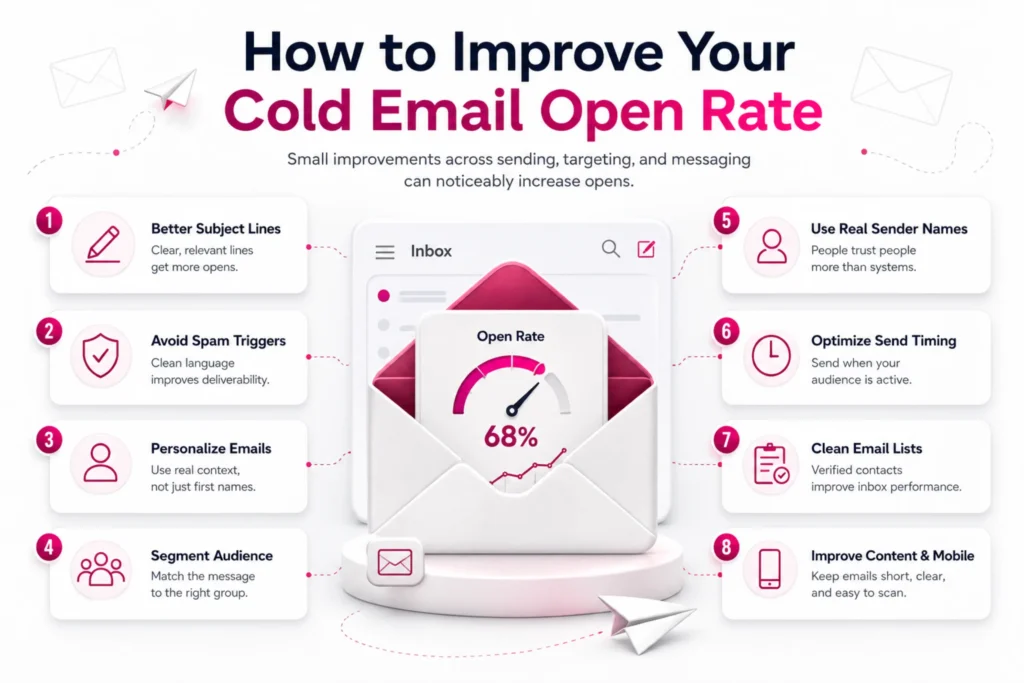
In our experience, small adjustments across these areas often create noticeable performance gains. Let’s discuss in detail:
Write Better Subject Lines
Subject lines should match how the reader thinks during a busy workday. Short and direct lines usually outperform long or abstract ones because they are easier to process quickly.
Example: “More sales meetings for SaaS” or “Higher reply rates for B2B outreach”.
Instead of trying to sound clever, focus on clarity and relevance. A subject line that reflects a real business situation or role-specific challenge often performs better than creative phrasing.
Avoid Spam Triggers
Spam filters react strongly to language patterns, formatting, and sender behavior. A natural tone with clean structure helps improve trust with email systems. Consistency in sending behavior also supports long-term deliverability.
To avoid spam triggers:
- Keep subject lines simple and clear
- Avoid heavy sales language and hype words
- Limit punctuation like !!! or ALL CAPS
- Set up SPF, DKIM, and DMARC properly
- Warm up new domains before scaling sends
- Maintain steady sending volume each day
- Use minimal links and keep them relevant
- Avoid image-heavy email formats
Personalize Your Emails
Personalization should go beyond surface-level details and connect to something real about the recipient’s work or company situation. When done well, it creates instant relevance at the first glance.
This can include mentioning a recent company update, a role-specific challenge, or an industry shift. The goal is to show that the message was built with context in mind, not sent as a mass template.
Segment Your Audience
Segmentation improves relevance by grouping contacts with similar roles or needs. A message for a founder should not look identical to a message for a marketing manager. When segments are clear, messaging becomes sharper and more aligned with each group’s priorities.
Good segmentation can be based on:
- Job title
- Company size
- Industry
- Buying stage, etc.
This helps adjust pain points, tone, and offer so each group receives a message that fits their daily responsibilities and decision focus, which improves open and reply behavior.
Use Real Sender Names
People respond better to people, not systems. Emails sent from a real name build more trust than messages sent from generic or company-only addresses.
A clear sender identity also reduces hesitation when the email appears in the inbox. Avoid no-reply addresses since they reduce engagement and limit response flow.
Optimize Send Timing
Email send timing should match when recipients are active in their inbox. Mid-week mornings often work well in many B2B environments, but performance varies across industries and regions.
In our campaigns, we adjust timing after early data shows when opens are happening.
Be careful about:
- Sending late Friday when inbox attention drops.
- Sending during weekends for B2B audiences.
- Using one fixed schedule for all regions.
- Ignoring time zone differences.
- Sending too many emails in a short burst.
- Relying on guesswork instead of early performance data.
Clean Email Lists
Email lists should stay accurate and active. Regular cleaning reduces bounce rates and improves overall deliverability health. It also ensures that outreach effort is focused only on reachable and relevant contacts.
Use email verification tools like NeverBounce, ZeroBounce, or Hunter to check validity before sending. Remove hard bounces after each campaign and track inactive contacts over time to protect sender reputation. Avoid outdated databases and keep only verified business emails that match your target roles and industries.
Improve Email Content
Content should stay focused on one main idea. When an email tries to cover too many points, readers lose interest quickly. In cold outreach, clarity always performs better than complexity.
To improve email content:
- Focus on one clear offer or message per email.
- Keep sentences short and easy to scan.
- Use simple, direct language without jargon.
- Write short paragraphs for better readability.
- Remove extra ideas that dilute the main point.
- End with one clear call to action.
- Match content with the subject line promise.
Optimize for Mobile
Emails must be easy to read on small screens since many opens happen on mobile devices. A clean layout with short lines helps recipients scan the message quickly. Avoid dense formatting or long blocks of text, since they reduce engagement during fast inbox checks.
Use short paragraphs, clear spacing, and simple sentence flow so the message fits small screens without effort. Keep the structure light, avoid heavy formatting, and make sure the call to action is visible without scrolling too much.
Run A/B Tests
Testing helps identify what your audience actually responds to instead of relying on assumptions. Small changes like subject line wording or sender name can produce different open rates.
Testing one element at a time gives clearer insights. Over time, patterns become visible and guide better decisions for future campaigns and improve overall outreach performance.
Difference between Open Rate and CTOR
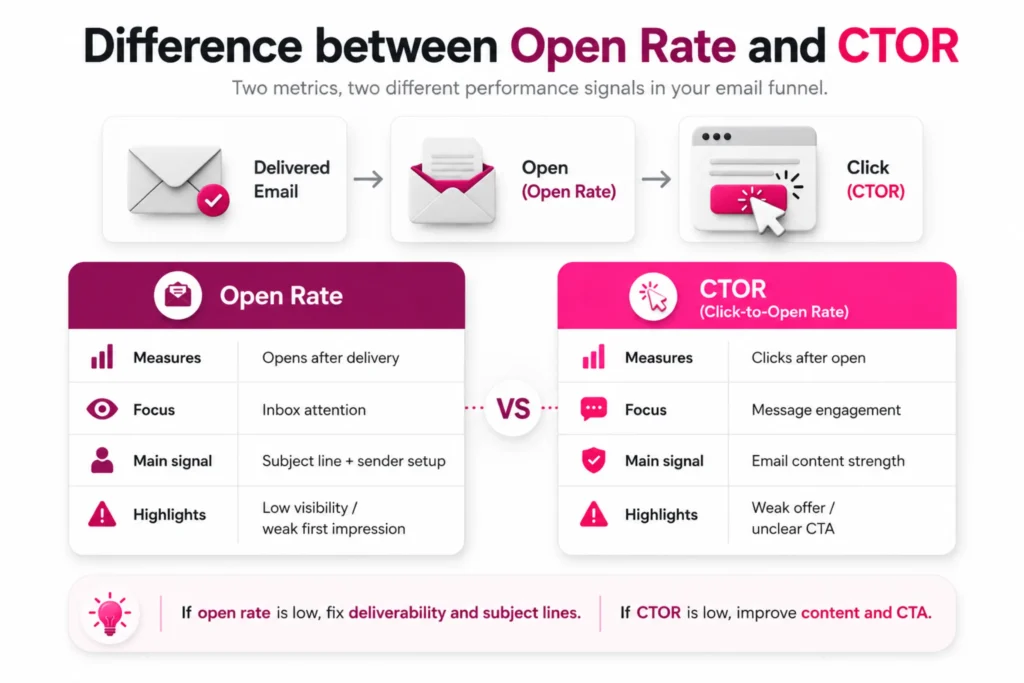
Open rate and CTOR measure different stages of email performance, helping you see where your cold email flow performs well or fails.
| Metric | Open Rate | CTOR (Click-to-Open Rate) |
| What it measures | Email opens after delivery. | Clicks after email is opened. |
| Focus stage | Inbox attention. | Message engagement. |
| Main signal | Subject line + sender setup. | Email content strength. |
| Problem it highlights | Low visibility or weak first impression. | Weak offer or unclear CTA. |
Knowing the difference helps you fix the right part of your campaign instead of guessing.
If open rate is low, the issue is usually list quality, deliverability, or subject line. If CTOR is low, the problem sits inside the email content or call to action. This separation helps improve results faster and makes testing more precise.
What a High Open Rate but Low Click Rate Means
This pattern often appears in cold email campaigns where initial attention is strong but follow-up action is weak. It shows that the subject line and sender name are doing their job, but the email body does not guide the reader toward the next step.
In many cases, this happens when the message includes too many ideas or when the call to action is unclear. Readers open the email, but they do not see a simple reason to click or respond.
In our experience with B2B outreach, this situation improves when the email is reduced to one clear message and one clear action. When focus increases, clicks usually improve even without changing the audience.
Final Words
Low email open rate is usually a result of combined issues across deliverability, targeting, timing, and message design. It rarely comes from a single mistake, which is why fixing only one area often produces limited results.
Stronger performance comes from clean lists, stable sender setup, relevant subject lines, and simple readable content. In B2B cold outreach, improving open rate often starts with technical setup before writing better copy.
When these elements work together, emails reach the inbox more often and receive more attention, which leads to higher replies and better meeting flow.
Frequently Asked Questions
What causes low email open rate in cold outreach?
Low open rate usually comes from weak deliverability, poor list quality, or subject lines that do not match the reader’s context.
Does the subject line impact the open rate the most?
The subject line plays a strong role because it controls first attention in the inbox, but it works together with sender reputation and inbox placement.
Can open rate improve without changing content?
Yes, improvements in deliverability, timing, and list quality can increase open rate even before changing email copy.
How often should email lists be cleaned?
Lists should be cleaned before each major campaign and monitored regularly to remove invalid or inactive contacts.