B2B cold email deliverability depends on how spam filters evaluate your sender reputation, domain authentication, list quality, message structure, and engagement signals.
If you send without SPF, DKIM, and DMARC, use unverified lists, or rely on spammy wording and too many links, your emails will get filtered. Consistent sending, clean data, and human-style messaging improve inbox placement and reply rates over time.
Want the full breakdown of how each factor affects inbox placement? Read the full breakdown.
What Checks Do Spam Filters Use to Block or Allow Emails?
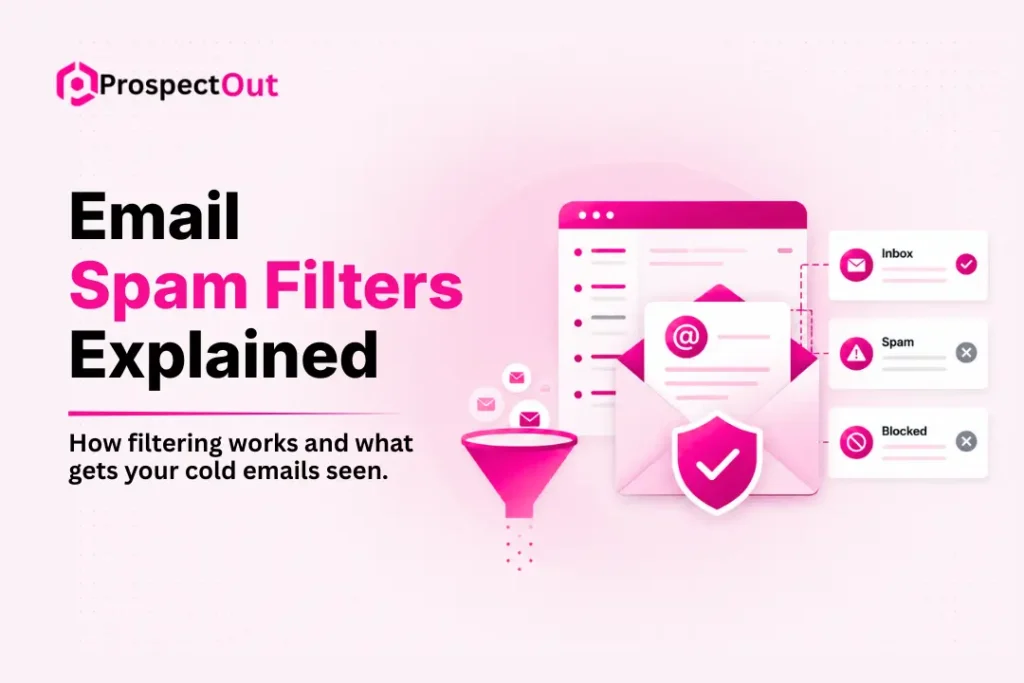
Spam filters use multiple checks and spam scoring systems. We discuss them below:
Spam Score and Risk Signals
Every email receives a score based on multiple signals that indicate quality or risk. Clear writing and balanced formatting help reduce your score and improve inbox placement.
Filters scan for patterns often linked to spam, and each issue increases your total score. Once that score crosses a set limit, the system flags your email and limits delivery.
Common factors that raise the spam score include:
- Words like “free” or “act now”.
- Too many capital letters or symbols.
- A large number of links in one message.
- Attachments that appear unsafe.
Sender Reputation and Trust Level
Sender reputation reflects how much email providers trust your sending activity, and it builds based on your past behavior over time. Every email you send contributes to that trust level, shaping how future messages get treated by inbox systems. Strong patterns of good sending improve your standing, while repeated issues weaken it and affect delivery across all campaigns.
Reputation often drops when you receive frequent spam complaints, send emails that bounce back, or fail to gain meaningful engagement from recipients. These signals tell email providers that users may not value your messages, which reduces trust. Even a small number of negative signals can influence how your future emails perform.
Email Authentication Methods
Authentication methods prove that your email comes from a valid source, and they help receiving systems verify your identity. Proper setup builds trust with email providers, while missing records can make your emails look suspicious. These checks reduce fraud risk and support consistent delivery.
The main methods include:
- SPF: confirms your server can send emails.
- DKIM: adds a secure signature to protect your message.
- DMARC: which sets rules for handling failed checks.
Content Quality and Structure
Spam filters scan your email content to detect risk signals, and they do not rely only on the words inside your message. They also review subject lines, message structure, formatting style, and overall layout to judge how safe and useful your email appears. Each of these elements affects how email providers classify your message and decide its placement in the inbox system.
User Engagement and Behavior Signals
User behavior sends strong signals to spam filters and shapes how your emails perform over time. When people interact with your emails, it shows that your content provides value and deserves attention.
Positive signals include actions that show users value and engage with emails, like:
- Opening your emails
- Clicking on links
- Reading without complaints
Negative signals include actions that show users ignore or reject emails, such as:
- Ignoring messages
- Deleting emails quickly
- Marking messages as spam
Also read: B2B cold email best practices
Why Emails End Up in Spam Instead of Inbox
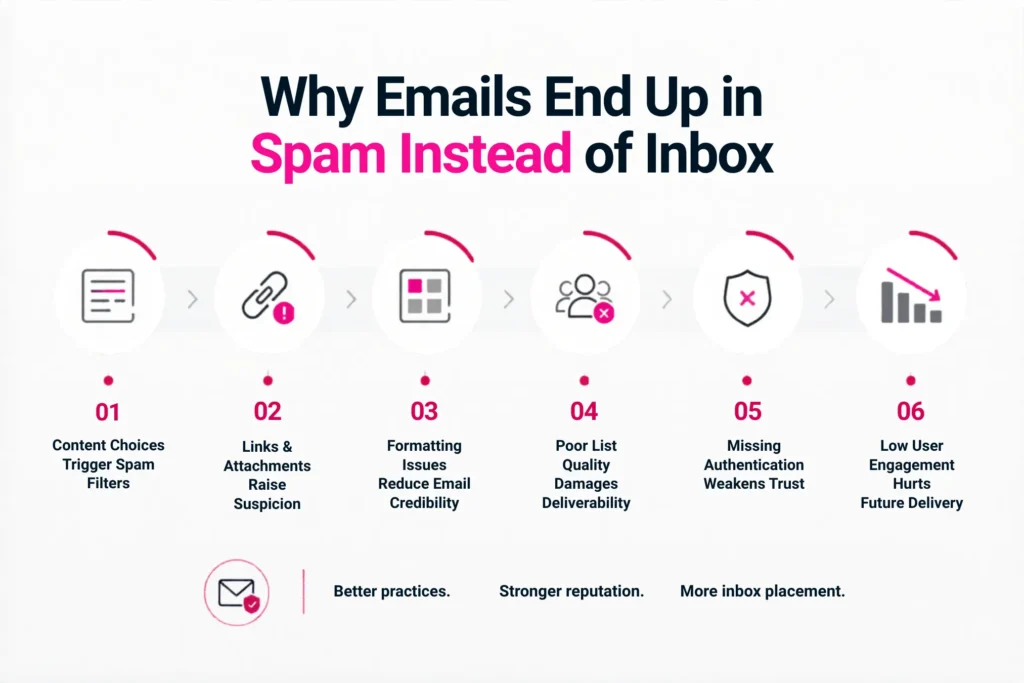
B2B cold emails often get flagged due to the following reasons:
Content Choices Trigger Spam Filters
Email wording has a strong impact on filtering decisions. Phrases like “100% free”, “Earn $$$”, and “Act now!” often match patterns used in aggressive promotional spam. Subject lines written in ALL CAPS or filled with “!!!” also increase suspicion. These elements do not confirm harmful intent, but they resemble typical spam behavior, which lowers trust during automated review.
Links and Attachments Raise Suspicion
Spam filters carefully check how many external links appear in a message. Emails containing 2–3 links in a short body can already look suspicious if they lack balance or context. Attachments also increase risk when recipients are not expecting them. Both links and files are often used in harmful campaigns, so filtering systems treat them with extra caution before allowing inbox delivery.
Formatting Issues Reduce Email Credibility
Email structure influences how trustworthy a message appears. Broken HTML, missing plain-text versions, or inconsistent layouts can signal poor quality. Overuse of fonts, colors, or heavy design elements can also reduce confidence in the message. Filters prefer clean, stable formatting because it is easier to scan and less likely to hide unwanted or suspicious content inside the email.
Poor List Quality Damages Deliverability
Sending emails to low-quality lists leads to serious performance issues. Outdated contacts, invalid addresses, or purchased data often create high bounce rates and complaints. These signals quickly reduce sender trust and harm future delivery. A healthy list contains real users who have actively opted in, which improves engagement and helps maintain stable inbox placement over time.
Missing Authentication Weakens Trust
Email systems rely on technical checks to confirm identity. Without SPF/DKIM, providers cannot verify that a message truly comes from the claimed sender. This lack of authentication increases suspicion and reduces trust. Even valid emails may be treated as unsafe when these records are missing, which significantly lowers the chance of reaching the inbox.
Low User Engagement Affects Future Delivery
User interaction strongly influences long-term email performance. When recipients ignore messages, open rates stay low, and engagement drops, filters begin to reduce trust. Over time, this increases the chance of spam placement. At that point, systems may assume “Hmm… nobody wants this.” Higher engagement helps maintain inbox visibility and supports stronger delivery results.
Google Spam Rules and Bulk Sender Impact on Deliverability
Google and Yahoo updated their email delivery rules for bulk senders to reduce spam and improve inbox safety. Senders now need to follow stricter standards:
Bulk Sender Requirements for High-Volume Email
Email providers introduced stricter rules for senders who send more than 5,000 messages per day. These requirements focus on improving trust and reducing unwanted email at scale. A major change includes stronger authentication standards using SPF, DKIM, and DMARC, which help verify sender identity and prevent spoofing.
Other important rules include one-click unsubscribe options, where users can easily opt out and requests must be processed within two days. Senders must also maintain low complaint levels, since high-risk accounts face filtering or blocking.
Spam Rate Limits and Compliance Standards
Google enforces strict spam complaint limits to protect users from unwanted emails. Senders are expected to keep spam rates below 0.3% (preferably below 0.1%) of total messages sent. Even small increases in complaints can affect deliverability and trigger filtering actions.
These limits ensure that only relevant and wanted emails reach inboxes. When spam rates rise above acceptable levels, email systems reduce trust and may redirect messages to spam folders or block them entirely.
Google Postmaster Tools Insights on Spam Monitoring
Industry reports highlight updates in Google Postmaster Tools, especially following changes introduced around February 2024. The tool helps senders monitor email performance and detect delivery issues early. It shows spam complaint rates, domain reputation, IP reputation, and authentication status.
The spam rate reflects the percentage of users marking emails as spam. Reputation scores track how Gmail evaluates sending behavior over time. Authentication checks confirm whether SPF, DKIM, and DMARC are properly configured.
Impact of Spam Rate and Reputation Changes
Case insights show that even small spikes in spam complaints can quickly impact deliverability. Issues such as broken unsubscribe options, outdated email lists, or high bounce rates directly affect reputation and spam metrics.
When spam rates exceed under 0.3%, Gmail may adjust filtering behavior and reduce inbox placement. Continuous monitoring is necessary because reputation changes can happen quickly, especially when engagement drops or list quality declines.
How to Check Email Sender Reputation
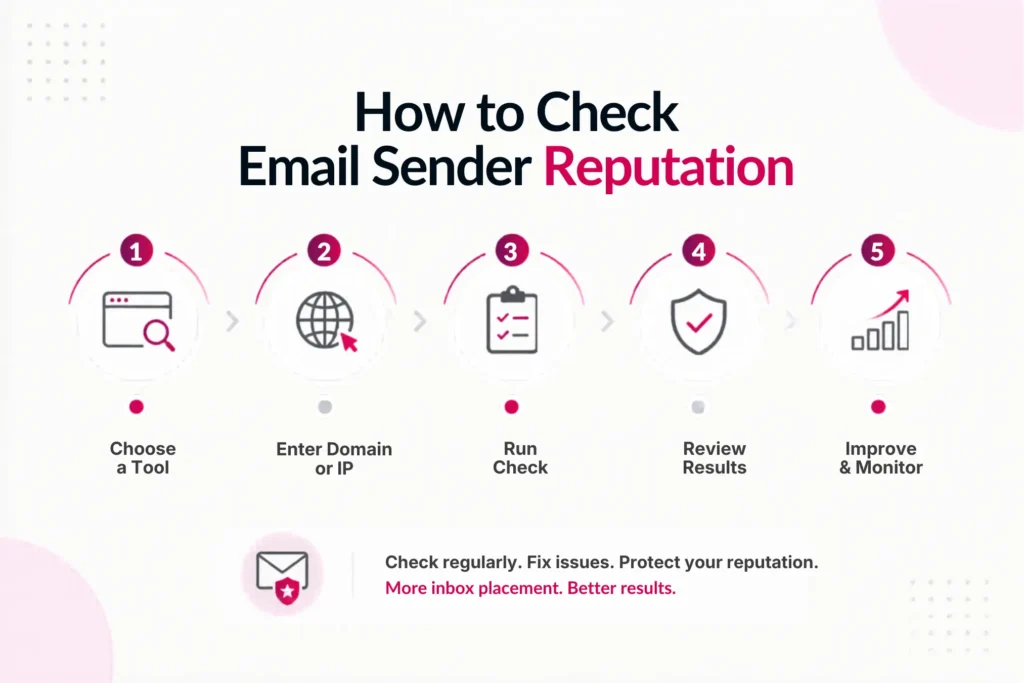
Checking email sender reputation works like checking a credit score. Different tools help you measure how email providers view your domain or IP:
Google Postmaster Tools for Gmail Reputation
Google Postmaster Tools is best for senders who reach Gmail users, which covers most email traffic. It shows how Gmail evaluates your sending behavior and domain health.
To check it, you need to:
- Go to Google Postmaster Tools
- Add and verify your sending domain using a TXT DNS record
- Wait a few days after sending emails to see data appear
It provides:
- Domain reputation (High, Medium, Low, or Bad)
- IP reputation
- Spam complaint rate
- Authentication status (SPF, DKIM, DMARC)
- Delivery errors
It is one of the most reliable sources because it comes directly from Gmail. A strong target is maintaining “High” reputation and keeping spam rate below 0.1%.
Microsoft SNDS for Outlook and Office 365
Microsoft SNDS (Smart Network Data Services) is best for monitoring emails sent to Outlook, Hotmail, and Office 365 users. It helps you understand how Microsoft filters treat your traffic.
To check it:
- Go to SNDS
- Sign in with a Microsoft account
- Add your sending IP ranges
It provides:
- IP reputation
- Spam trap hits
- Complaint rates
This tool is useful because Microsoft shares direct filtering insights, showing how their systems classify your sender behavior.
Talos Intelligence for IP and Domain Reputation
Talos Intelligence from Cisco is best for quick reputation checks of your IP or domain. It helps identify how major systems view your sending infrastructure.
To use it:
- Visit Talos Reputation Center
- Enter your sending IP or domain
It shows:
- Good, Neutral, or Poor status
It is valuable because many corporate and enterprise spam filters rely on Cisco reputation data when deciding email delivery outcomes.
Sender Score for Email Reputation Benchmarking
Sender Score (Validity) acts like a general credit score for email sending. It helps benchmark overall sender reputation over time.
To check it:
- Go to Sender Score
- Enter your IP
It provides:
- Score from 0–100 (higher is better)
- Complaint rates
- Blacklist hits
- Sending volume data
It is useful for long-term tracking, although some data updates may lag behind real-time performance changes.
Spamhaus Reputation Checker for Blocklist Status
Spamhaus Reputation Checker is one of the most important tools for detecting serious deliverability issues. It checks if your IP or domain appears on major blocklists.
To use it:
- Visit Spamhaus Lookup
- Enter your IP or domain
If listed, it shows:
- Specific blocklist name (SBL, XBL, PBL, CSS)
- Removal instructions
If Spamhaus flags your sender, inbox delivery becomes extremely difficult until the issue is resolved.
Multi-RBL Tools for Blocklist Monitoring
Multi-RBL tools provide a fast scan across multiple blocklists at once. They help identify broader reputation problems quickly.
Popular tools include:
- MXToolbox Blacklist Check
- UltraTools Blacklist Check
These tools show if your IP or domain is listed on services like SpamCop, Barracuda, SURBL, and others. They are useful for quick diagnostics and ongoing monitoring of email deliverability health.
Core Indicators of Strong Email Sender Reputation
A strong sender reputation depends on a few core signals that show how email providers view your sending behavior. When you review your performance, focus on these areas:
- Domain/IP Reputation: Check if your domain and IP reputation show High, Good, or Green status. Strong reputation signals consistent trust from email providers and better inbox delivery performance.
- Spam Complaints: Keep spam complaints below 0.1% ideally. Lower complaint rates show recipients value your emails and reduce the chance of filtering or delivery restrictions over time.
- Blacklist Status: Ensure your domain and IP remain clean with no blacklist listings. Any listing can seriously damage deliverability and block messages from reaching recipient inboxes.
- Authentication: Make sure SPF, DKIM, and DMARC all pass correctly. These authentication checks confirm identity, prevent spoofing, and improve trust with email providers during delivery evaluation.
- Bounce Rate: Maintain bounce rates under 2% to protect sender reputation. High bounce rates often signal poor list quality or outdated contacts, reducing inbox placement performance.
- Engagement: Track open rates and click rates trending upward. Strong engagement signals show users interact positively with your emails, improving trust and long-term deliverability success.
How to Avoid Spam Filters in B2B Cold Email Outreach
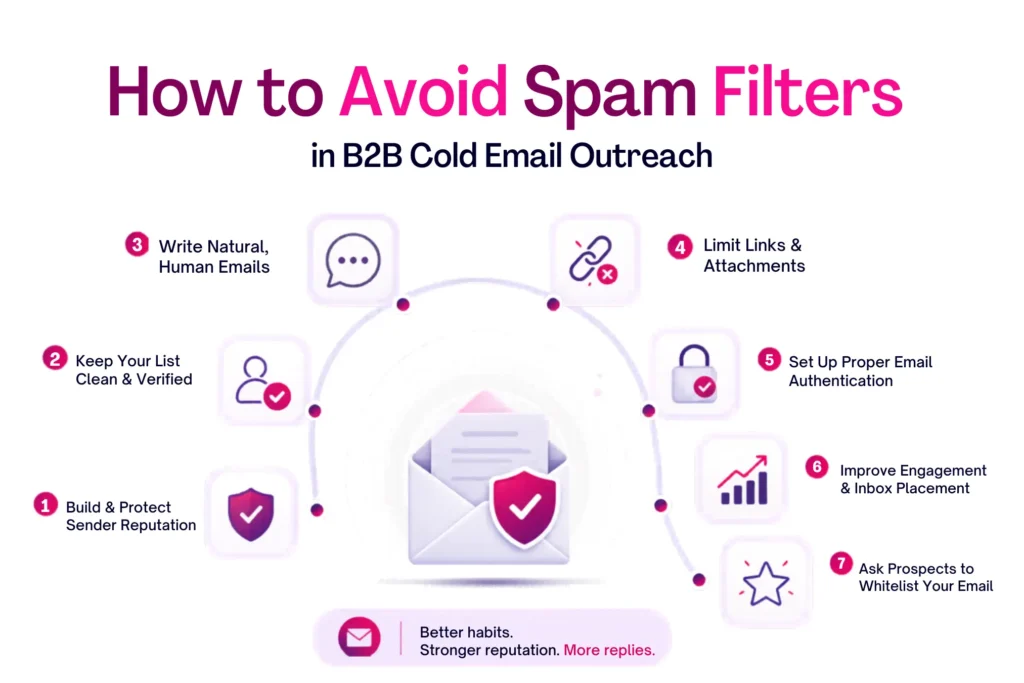
Cold email in B2B works only when your messages consistently reach the inbox. We share ways to help you bypass spam filters:
Build and Protect Sender Reputation for Outreach
B2B cold email success starts with domain reputation. Always use a custom domain instead of free email services like Gmail or Yahoo. New domains need a warm-up phase, so avoid sending high volumes like 1,000 emails on day one. Gradually increase sending volume and keep activity consistent. Sudden spikes in outreach can damage trust and reduce inbox placement.
Keep Your Prospect List Clean and Verified
List quality directly affects cold email performance. Use double opt-in where possible so contacts confirm interest, and validate email addresses before sending outreach campaigns. Remove inactive or invalid contacts regularly to reduce bounce rates. A clean list improves B2B cold email deliverability and ensures your outreach reaches real business prospects instead of triggering spam signals.
Write Cold Emails That Sound Natural
Cold emails perform better when they feel human and direct. Avoid aggressive sales language that reduces trust and reply rates. Do not use ALL CAPS or excessive punctuation like multiple exclamation marks. Keep tone simple and conversational, like a short business message. Instead of “ACT NOW! LIMITED TIME OFFER!!!” use “Quick update — this opportunity closes Friday.”
Limit Links and Avoid Unnecessary Attachments
Cold outreach emails should stay minimal and focused. Use one to two links at most in short messages. Too many links can make your email look promotional or unsafe. Avoid attachments unless absolutely necessary, as they often trigger spam filters. If you need to share documents, use trusted cloud platforms like Google Drive or Dropbox instead.
Set Up Proper Email Authentication for Cold Email
Authentication is essential for B2B outreach deliverability. Set up SPF, DKIM, and DMARC on your sending domain so email providers can verify your identity. Without proper authentication, cold emails often get flagged or blocked. Tools like MxToolbox can help confirm your setup is correct before running outreach campaigns.
Improve Engagement to Strengthen Inbox Placement
Engagement signals strongly affect cold email performance. Personalize messages using names, roles, or company details to increase relevance. Send useful, targeted outreach instead of generic blasts. Adding a simple question at the end encourages replies, which improves engagement rates and strengthens sender reputation over time.
Ask Prospects to Whitelist Your Email
In cold email follow-ups or welcome sequences, you can politely ask prospects to add your email to their contacts. This helps improve inbox placement for future messages. A simple line like “To make sure you don’t miss my updates, please add me to your contacts” can reduce spam filtering and improve response visibility.
Final Thoughts
Most B2B cold email failures do not come from bad offers, but from poor sending habits. Spam filters are not random blockers. They respond to patterns, trust signals, and recipient behavior. In cold outreach, inbox placement is the real competition before messaging even matters.
ProspectOut helps businesses improve email deliverability through better sender setup, domain reputation management, list hygiene, and cold email structure. Our focus is simple: help your emails reach the inbox so your outreach actually gets seen and replied to. Reach out to us and take the next step toward consistent cold email results.