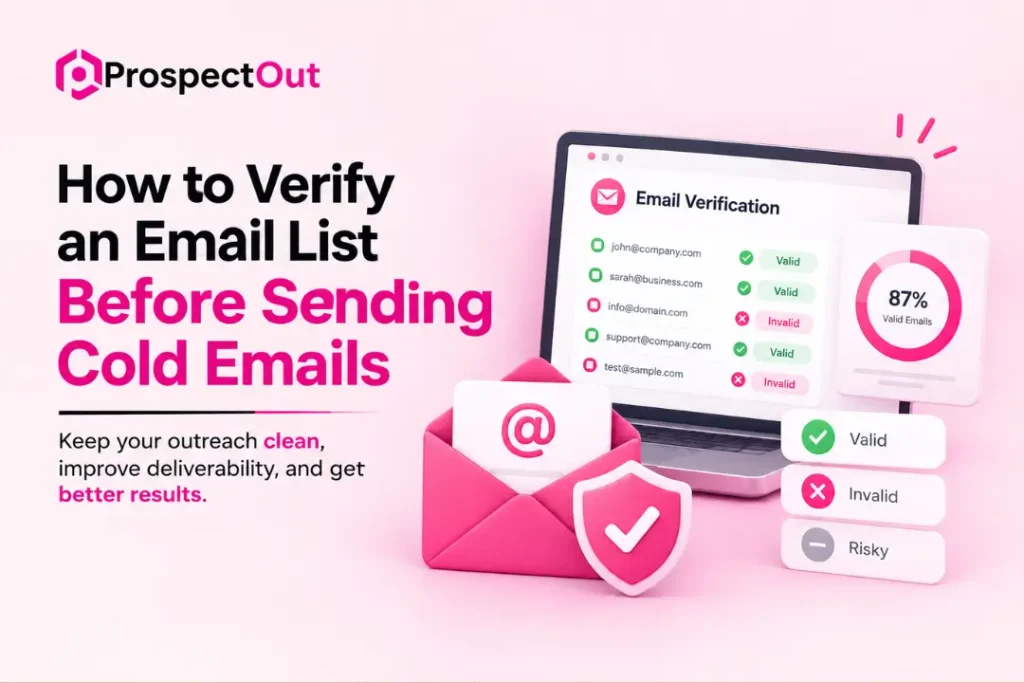
When you want to verify an email list before sending cold emails, the safest approach is to check every address before it enters your campaign.
You should start with a targeted prospect list, run the emails through a reliable verification tool, remove invalid and risky contacts, and keep only suitable addresses for your campaign.
Following my recommended process, you need to re-verify the list regularly to keep it clean as contact data changes over time.
Read the complete guide to see how I follow this process step by step.
Our Recommended Workflow for Verifying an Email List Before Sending Cold Emails
We use a simple workflow to verify cold email lists before sending campaigns. It starts with building a targeted prospect list and then checking each email address for accuracy.
1. Build Your Prospect List First
My team always starts with the prospect list before thinking about email verification. A verification tool cannot fix a list filled with the wrong companies, outdated contacts, or prospects. Different tools have unique roles here.
- LinkedIn Sales Navigator is useful for finding targeted prospects based on job title, industry, company size, location, and other filters.
- Apollo is another good source for finding business contacts and company information.
- Crunchbase works well for researching companies based on industry, funding stage, company size, and growth.
Checking company websites, LinkedIn profiles, and other business sources manually gives you a better idea of if a prospect actually fits your campaign.
Once the contacts are collected, export them into Clay, a spreadsheet, or another organized workspace. Keep key details such as:
- Prospect name
- Job title
- Company name
- Company website
- Email address
Need a targeted prospect list? Our team can build and organize contacts for your cold email campaign.
2. Upload Emails to a Verification Tool
We use a bulk email verification tool after building the list because sending emails to unverified addresses increases bounce risks and hurts campaign performance.
For bulk verification, you can use NeverBounce, ZeroBounce, or Bouncer to check your email list.
Upload your contact list as a CSV file, and the platform checks each email address. The results usually place addresses into different categories, such as:
- Valid: The email address appears deliverable.
- Invalid: The address is not suitable for sending.
- Risky: The address may create delivery problems.
- Disposable: The address belongs to a temporary email service.
- Unknown: The tool could not confirm the address with enough confidence.
I often consider tools such as NeverBounce, ZeroBounce, and MillionVerifier for finding or checking business email addresses before a campaign starts.
Each platform has different features and pricing, so the right choice depends on the list and the campaign.
After verification, review the results instead of sending emails to every address. My team removes invalid addresses and pays close attention to risky or unknown contacts. The verification report also shows how healthy the original list is.
Our team can verify, clean, and organize your contacts so your cold email campaign starts with a reliable list.
3. Filter by Verification Status
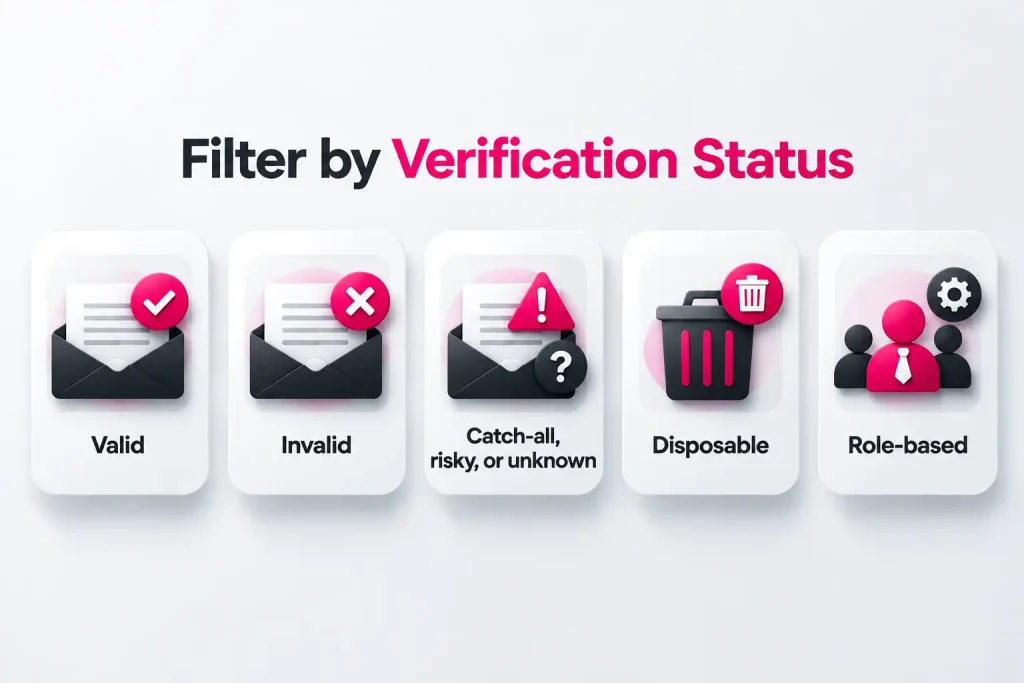
I never treat every email in a verified list the same way. After the verification tool processes the CSV, I review the results and separate contacts based on their verification status.
Most verification tools use several categories to show the condition of each email:
- Valid: These addresses appear deliverable and are generally the best choice for cold outreach.
- Invalid: These addresses should be removed entirely because sending to them increases the chance of a bounce.
- Catch-all, risky, or unknown: These addresses need more caution because the tool cannot fully confirm that the mailbox will accept your message.
- Disposable: These addresses usually belong to temporary email services and are better removed.
- Role-based: Addresses such as info@, sales@, support@, or admin@ usually reach a shared inbox instead of one specific person. I normally remove these when preparing a cold email campaign.
Valid contacts go into the main campaign, while questionable addresses stay outside until there is a clear reason to test them.
Catch-all emails deserve special attention. Some may belong to real prospects, but their delivery status is harder to predict. Sending too many of these addresses at once may create unnecessary delivery risks. The same applies to risky and unknown results.
Pro tip: Before using catch-all emails in your campaign, send a manual test email through another email account to check if the address is active and able to receive messages.
Our expert team can review your verification results and separate contacts into the right categories for safer outreach.
4. Keep Only Valid Contacts for Your Campaign
We keep the main cold email campaign focused on valid contacts after verification. Importing every address into your sending tool defeats the purpose of checking the list.
Filter the contacts through email filtering, keep those marked valid, and import only those emails into your cold email platform. Keep the verification results separately so you know which contacts passed and which ones were removed.
You should keep catch-all, risky, disposable, and invalid emails outside your main campaign. A smaller list of good contacts is often better than a large list filled with questionable addresses.
I also recommend saving the cleaned list separately and recording the verification date. You should re-verify the list when it becomes old or before starting a major campaign.
Need a clean campaign-ready list? Our team can filter verified contacts and prepare the valid emails for your cold outreach.
5. Re‑verify periodically
I re-check email lists when they are reused because contact data changes faster than many people expect. A valid email today may become inactive later if someone leaves a company, changes roles, or closes an inbox.
Running verification again every few weeks is a good habit for ongoing cold email campaigns. The exact timing depends on how often the list is used and how quickly the contact data changes.
For lists used across multiple outreach waves, keep a simple verification schedule:
- Every few weeks: Re-verify active lists used regularly.
- Before a new campaign: Check older lists again instead of trusting an earlier result.
- After major list updates: Verify newly added contacts before sending.
List hygiene is not a one-time task. Email databases naturally lose accuracy over time, so repeated verification keeps outdated addresses out of future campaigns. A smaller, recently verified list often performs better than a larger list that has been sitting untouched for months.
We can re-verify and clean your email database before each outreach wave, keeping your list fresh and campaign-ready.
Final Words
My experience says that email verification works best as part of the entire list-building process, not as a final quick check before sending. So, start with the right prospects, verify their addresses, filter the results, and keep only suitable contacts for your main campaign.
One detail often gets overlooked: verification does not prove that a prospect wants your offer. It only tells you more about email deliverability. A valid address still needs the right person, company, timing, and message behind it. Regular re-verification also matters because good data becomes outdated over time.
If you want to improve your email list and outreach process, talk to our professional team at ProspectOut and discuss your requirements with us.
Frequently Asked Questions
How often should I verify an email list?
Re-verify your email list every few weeks if you use it regularly. Older lists should also be checked before a new campaign because email addresses may become inactive over time.
What should I do with invalid email addresses?
Remove invalid email addresses from your cold email campaign. Sending messages to these addresses increases bounce rates and may hurt your email deliverability.
Should I use a professional email verification service?
A professional verification service is useful when you have a large list or regularly run cold email campaigns. These tools check many addresses quickly and provide useful status results for filtering your contacts.
What does an unknown email status mean?
An unknown status means the verification tool could not confirm the email address with enough confidence. Keep these addresses outside your main campaign or test them separately with caution.