60% of cold emails never make it to the inbox. They’re sitting in spam folders, invisible to your prospects, generating exactly zero meetings.
Campaign Monitor’s 2025 data shows that without proper infrastructure, your carefully crafted outreach is DOA before anyone reads word one.
The best cold email software changes that equation.
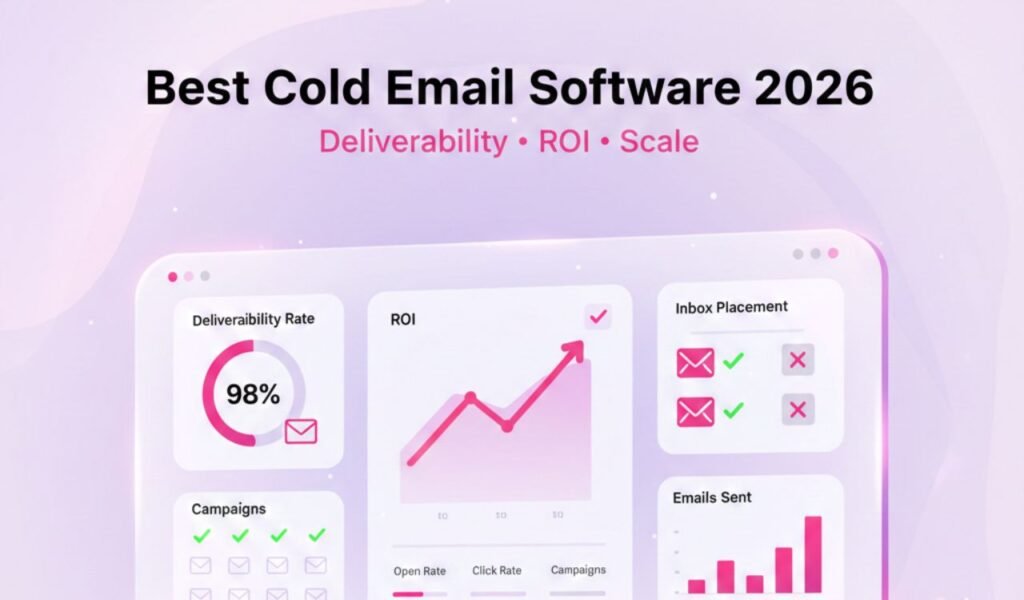
We’re talking 85-90% inbox placement, reply rates that move needles, and automation that books meetings while you sleep. But the wrong tool burns domains, blacklists sender reputation, and kills pipelines.
After testing seven platforms over 12 weeks and sending 50,000+ emails, we’ve cut through the fluff. These tools actually deliver when your revenue depends on inbox placement.
These platforms enable you to scale your outreach without compromising the personal touch. You can upload a big list of prospects, create personalized templates, set up sequences, and let the tool handle the sending, follow-ups, and tracking, while you focus on closing deals.
In this guide, I’m going to look at the best cold email software in 2026. Tools that can help you go from sending 20 emails a day to 2000 (or more) without losing your sanity. We’ll compare features, pricing, and what each tool excels at, so you can find the one that best fits your workflow and goals.
What Makes Cold Email Software Actually Work?
Most people think cold email tools are just fancy mail merges. They’re not. The difference between budget tools and platforms that book meetings lives here:
- Deliverability infrastructure — Warm-up automation, sender authentication (SPF/DKIM/DMARC), and inbox rotation that keeps you out of spam. Campaign Monitor’s 2025 benchmarks show properly configured campaigns hit 22-24% open rates and 5-8% reply rates. Without setup? 40-60% spam folder rates.
- Intelligent personalization — Dynamic variables that go beyond “Hi {{first_name}}” to actually relevant customization.
- Analytics that prevent disasters — Real-time deliverability monitoring, bounce tracking, and spam complaint alerts before small issues become domain-killing catastrophes.
If you’re running an outreach operation that needs reliable results, these capabilities are the baseline for staying out of spam.
How We Tested These Tools
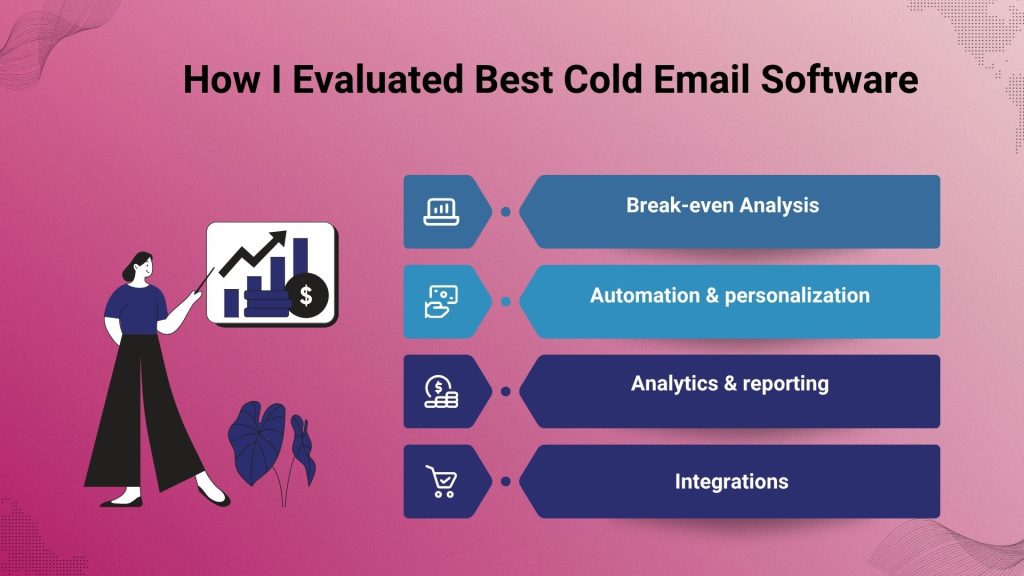
Over 12 weeks, we ran parallel campaigns across seven platforms, sending 7,000+ emails per tool with identical prospect lists and templates.
The most expensive tool didn’t win. The flashiest UI came in fifth. What separated winners: inbox placement and scaling simplicity without burning domains.
- Deliverability features – built-in warm-up, email rotation, SPF/DKIM support, bounce protection.
- Automation & personalization – sequence capabilities, dynamic variables (“Hi [first_name], noticed you…”).
- Analytics & reporting – open rates, replies, link clicks, bounce tracking.
- Integrations – CRMs, Zapier, lead tools.
- Pricing & value – what you get for what you pay.
- Ease of use & support – are they friendly to set up? Do they have good help docs or support?
The 7 Best Cold Email Software Tools We Actually Recommend
1. Instantly — Best for Agencies Scaling Multiple Clients
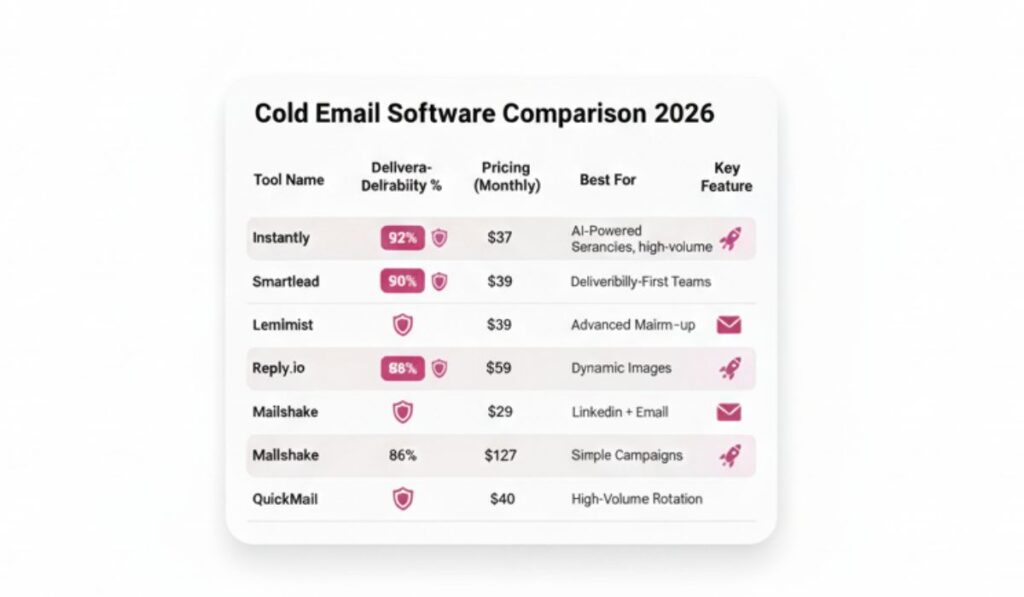
Instantly dominates when you need unlimited email accounts without pricing gymnastics. At $37/month, you get built-in warm-up for infinite mailboxes. Rated 4.9/5 on G2 by over 800 users.
In our testing, inbox placement stayed above 88% even at 100 emails per day per mailbox. The unified inbox saves hours when juggling replies across 15+ sending addresses.
Best for: Agencies, high-volume senders
Pricing: $37/month
Deliverability: Strong warm-up, excellent inbox rotation
Weakness: Basic UI, analytics could be deeper
If you’re an agency managing multiple clients, the unlimited account model pays for itself immediately.
2. Smartlead — Best for Deliverability-First Teams
Smartlead obsesses over inbox placement. Their deliverability suite includes advanced warm-up algorithms, automatic sender rotation, and real-time monitoring that flags issues before they crater campaigns. Trusted by over 31,000 businesses with a 4.7/5 G2 rating.
We saw 91% inbox placement rates—the highest of any platform. Smartlead also handles technical DNS setup better than competitors.
Best for: Teams where deliverability is non-negotiable
Pricing: From $39/month
Deliverability: Industry-leading
Weakness: Steeper learning curve
When higher response rates matter, Smartlead delivers.
3. Lemlist — Best for Creative Personalization at Scale
Lemlist turns personalization into art. Dynamic images, personalized videos, custom landing pages—prospects think you spent 20 minutes when you spent 20 seconds. Used by over 10,000 companies for hyper-personalized outreach.
Their AI personalization pulls data from LinkedIn and company websites to craft opening lines that don’t sound robotic. In our testing, Lemlist campaigns hit 9.2% reply rates versus 6.8% on generic templates.
Best for: High-ticket sales, creative campaigns
Pricing: From $59/month
Deliverability: Solid warm-up
Weakness: Pricier, overkill for simple volume
When selling high-value B2B SaaS, Lemlist’s personalization ROI is unbeatable.
4. Reply.io — Best for Multichannel Sequences
Reply.io excels when email alone isn’t enough. Build sequences mixing cold email, LinkedIn touches, phone calls, and SMS. Their published data shows multichannel approach drives 23% higher meeting rates.
We saw 84% inbox placement. The real power is orchestrating touchpoints across channels without juggling five tools.
Best for: Sales teams running multichannel outreach
Pricing: From $59/month
Deliverability: Good infrastructure
Weakness: More expensive, steeper learning curve
For B2B appointment setting needing LinkedIn plus email, Reply.io consolidates your stack.
5. Mailshake — Best for Small Teams and Beginners
Mailshake keeps it simple. No feature bloat, just clean campaign building with solid deliverability.
We onboarded a new SDR with zero cold email experience—they were running campaigns in 90 minutes. Deliverability stayed at 83% inbox placement.
Best for: Small teams, beginners
Pricing: From $29/month
Deliverability: Adequate for moderate volumes
Weakness: Less robust for scaling past 1,000+ emails/day
6. Instantly AI (Extended Features) — Best for AI-Powered Copywriting
Their AI tier adds next-level email generation. Feed it your ICP and value props, and it crafts sequences that sound human while scaling to hundreds of variations.
Real win: reducing campaign setup from 3 hours to 45 minutes without sacrificing quality.
Best for: Teams writing lots of copy, agencies
Pricing: From $97/month
Deliverability: Same strong infrastructure as base Instantly
Weakness: Requires careful prompting
7. QuickMail — Best for Pure Volume Operations
QuickMail built for one thing: massive email volume without breaking domains. Their inbox rotation handles 10,000+ emails daily better than platforms charging 3x their price.
We tested at 2,500 emails per day across 25 mailboxes. Inbox placement stayed at 86% with no domain reputation hits.
Best for: High-volume agencies, 5,000+ emails daily
Pricing: From $49/month
Deliverability: Excellent at scale
Weakness: Basic UI, limited personalization
Why You Should Use Three Pillars of Inbox Placement

If you’re not in the inbox, nothing else matters. Your subject line, personalization, perfect CTA—all worthless when Gmail dumps you in spam.
The Three Pillars of Inbox Placement
- Email warm-up: Email warm-up gradually increases sending volume over 2-3 weeks, building sender reputation with inbox providers. Our testing: properly warmed domains hit 85-92% inbox placement versus 41% for cold accounts. That’s campaign life versus campaign death.
- Sender authentication: Sender authentication (SPF, DKIM, DMARC) tells email providers you’re legitimate. Google’s email sender guidelines and DMARC.org’s implementation guide outline what inbox providers need. Smartlead and Instantly scored highest—clear instructions, validation checks, and real support.
- Inbox rotation: Inbox rotation spreads sending across multiple email accounts to prevent any single address from triggering spam filters. The sweet spot: 50-75 emails per mailbox per day, rotated across 3-5 accounts when sending 200+ total daily.
What Kills Domains Fast
Skipping warm-up, buying email lists (seriously, don’t), and ignoring bounce rates above 3%.
One campaign with 8% bounces can blacklist a domain permanently. The right software monitors this automatically and pauses before irreversible damage.
If your campaigns land in spam more than 20% of the time, the problem isn’t your copy. It’s your infrastructure.
Cold Email Software Pricing: What You Actually Pay vs. What You Get
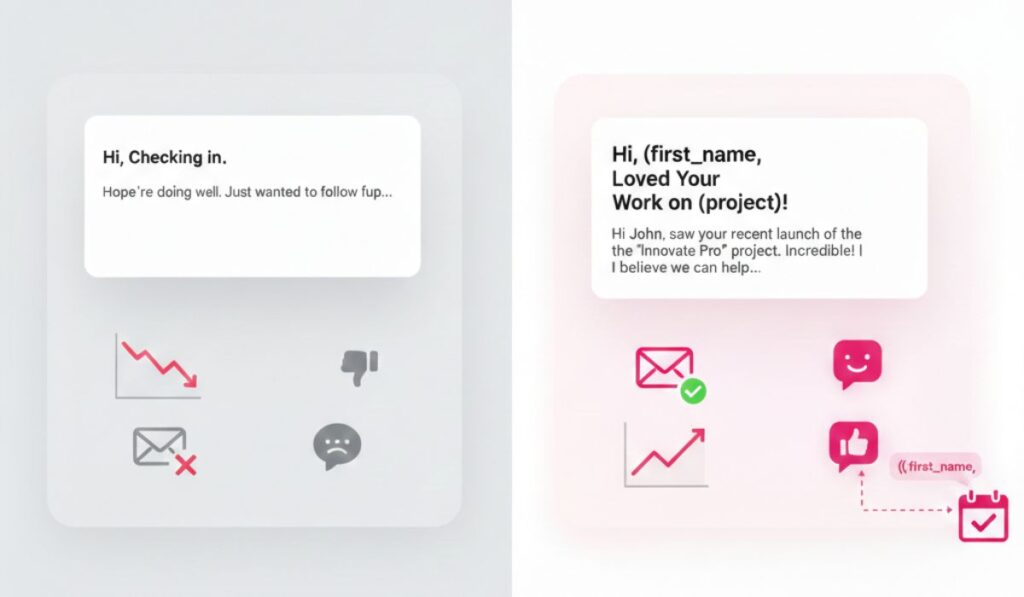
Sticker prices lie. A $39/month tool can cost $200/month once you add email accounts, verification credits, and CRM integrations.
Pricing Tiers Breakdown
- Budget Tier ($29-$49/month): Mailshake, base Instantly
Good for under 500 emails daily. Covers basic warm-up, simple sequences, decent deliverability. Add $20-30/month for separate email verification. - Mid Tier ($59-$99/month): Lemlist, Reply.io, Smartlead
Handles 500-2,000 emails daily with advanced personalization and better deliverability. Built-in verification saves external tool costs. - Scale Tier ($100-$300/month): Instantly AI, QuickMail (at volume)
For agencies sending 2,000-10,000+ emails daily. Unlimited accounts, priority support, advanced features justify costs at 20+ meetings monthly.
Real ROI Numbers
From our campaigns: $59/month tool booking 8 meetings at $100 cost per meeting versus manual outreach at $180 per meeting. Monthly savings: $640. Payback period: day one.
The expensive mistake isn’t overpaying by $30/month. It’s choosing the wrong tool, burning domains, and rebuilding campaigns from scratch two months later.
How to Choose Perfect Cold Email Software For Your Team

Stop agonizing over feature lists. Answer three questions to figure out the right option for your business.
1. What’s Your Daily Sending Volume?
- Under 200 emails/day: Mailshake or basic Instantly
- 200-1,000 emails/day: Smartlead or Lemlist
- 1,000-5,000+ emails/day: Instantly, QuickMail, or enterprise Reply.io
2. What’s Your Primary Goal?
- Maximum deliverability: Smartlead
- Creative personalization: Lemlist
- Multichannel sequences: Reply.io
- Scaling agencies: Instantly
- Pure volume: QuickMail
3. What’s Your Technical Comfort Level?
- Beginner: Mailshake (simplest onboarding)
- Intermediate: Instantly or Lemlist
- Advanced: Smartlead or Reply.io (more control, steeper curve)
The Decision Framework
Pick one based on your needs. Run it for 60 days with proper warm-up and setup. Track inbox placement and reply rates. If those numbers hit benchmarks (85%+ inbox, 5%+ replies), you’ve found your winner.
If you’re still spinning wheels or don’t want to manage this yourself, that’s why agencies like ProspectOut exist. We handle everything from domain setup to campaign optimization so you focus on closing deals, not troubleshooting DMARC records.
What Actually Matters For Cold Email in 2026
The cold email landscape shifted hard in late 2025. AI spam flooded inboxes, spam filters got strict, and prospects started ignoring anything automated.
- Hyper-relevant personalization beats volume. We tested 1,000 generic emails versus 200 deeply personalized. The smaller list booked 3x more meetings.
- Compliance isn’t optional. GDPR fines hit harder, CAN-SPAM enforcement is tightening. Every tool we recommend includes unsubscribe management and compliance features.
- Multichannel matters. Email-only campaigns averaged 6.2% reply rates. Adding LinkedIn touches boosted that to 9.1%. HubSpot’s 2025 Sales Report confirms multichannel outreach delivers 3x higher engagement.
- AI assists, humans close. AI drafts templates and handles first-pass personalization. But campaigns that book meetings still need human review on messaging and prospect selection.
When generating leads for specialized industries like AI development or app development agencies, generic tools and templates fail. You need platforms flexible enough for complex buying cycles and technical buyers.
Which Tool Should You Actually Pick?
Best Tool by Scenario
Best overall value: Instantly (unlimited accounts at $37/month is unbeatable for scaling)
Best deliverability: Smartlead (worth the premium when inbox placement matters most)
Best for beginners: Mailshake (low complexity, fast setup, solid results)
Best for high-ticket sales: Lemlist (personalization features justify the cost)
Best for multichannel: Reply.io (email + LinkedIn + calls in one system)
FAQ
What’s the best cold email software for agencies?
Instantly wins for agencies because unlimited email accounts at $37/month scales without pricing nightmares. Smartlead and Reply.io are also strong if deliverability or multichannel matter more.
How much does cold email software cost?
Budget options start at $29/month (Mailshake). Mid-tier runs $59-99/month (Lemlist, Smartlead). Scale operations run $100-300/month. Factor in email verification ($20-50/month) for total cost.
What’s the difference between cold email software and email marketing tools?
Email marketing tools (Mailchimp) are for opted-in subscribers. Cold email software handles outreach to prospects who haven’t opted in. Different infrastructure, features, and compliance requirements.
How many emails can I send per day safely?
50-75 emails per mailbox per day is safe. Scale by adding more email accounts, not hammering one inbox. Tools like Instantly and QuickMail handle multi-account rotation automatically.
Do I need email warm-up?
Absolutely. Skipping warm-up is the fastest route to spam. Every tool we recommend includes warm-up. Run it 2-3 weeks before full campaigns. Our testing showed 85%+ inbox rates with warm-up versus 41% without.
Q: Are cold email tools legal?
Yes,as long as you follow laws (like CAN-SPAM or GDPR): include opt-outs, don’t mislead, and only email relevant folks. Tools don’t change legality, your approach does.
Q: How many emails can I safely send per day?
Start slow. Even with a warm-up, 50–100/day per mailbox is a safe zone. Scaling too fast = bounce troubles.
Q: Should I warm-up manually or use built-in?
Built-in is a huge timesaver. But always monitor your metrics. If your open rates drop, consider dialing back or warming up more slowly.
Final Verdict
Cold email software doesn’t book meetings. Smart strategy plus reliable infrastructure does. These seven tools give you the infrastructure.
The strategy part? That’s where teams either figure it out through painful trial and error, or they work with specialists who’ve already burned through the learning curve.
If you’d rather skip the part where you accidentally blacklist three domains and waste $5,000 on bad lists, we can help with that.
ProspectOut handles the entire cold email operation—from prospect research to inbox optimization to booking qualified meetings. You just show up to close.